Summary
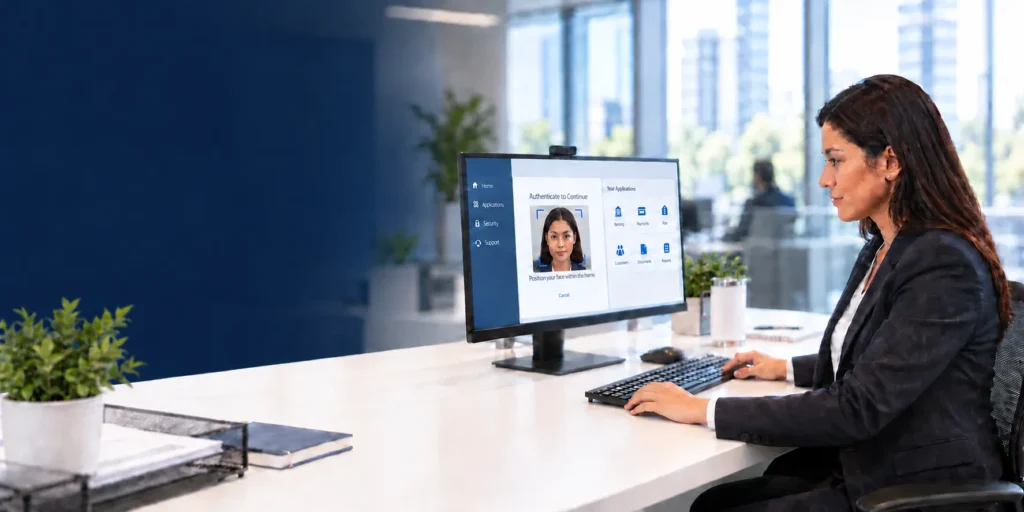
Biometric authentication is a method of verifying identity using a person’s unique physical or behavioural traits, such as a fingerprint, face, iris pattern or typing rhythm, rather than something they know (a password) or carry (a token). Instead of matching a string of characters, the system compares a live biometric sample against a stored template and grants or denies access based on how closely the two match.
Stolen credentials were involved in 22% of breaches analysed in the 2025 Verizon Data Breach Investigations Report, ahead of exploited vulnerabilities (20%) and phishing (15%). Passwords are not simply inconvenient; they are the leading way attackers get in.
Biometric authentication addresses this at the root: it doesn’t rely on a secret a person has to remember or protect, but on something they already are. That’s a meaningful shift, but not a silver bullet: how much it strengthens security depends on the method in use.
What Is Biometric Authentication?
At its core, biometric authentication confirms identity by measuring a physical or behavioural characteristic and comparing it against a stored reference. Physical traits include fingerprints, facial geometry and iris patterns; behavioural traits include typing cadence and gait.
The defining feature is that biometric data is tied to the individual rather than issued to them: a password can be shared, guessed or phished, but a fingerprint cannot be handed to a colleague or reset after a breach in the same way. That’s also why the data itself has to be protected carefully once captured.
How Does Biometric Authentication Work?
A sensor, such as a fingerprint scanner or camera, captures the raw input, and the system extracts distinguishing features and converts them into a mathematical template: not a stored photograph, but a numerical representation designed to be compared, not reversed. That template is stored securely, ideally encrypted and on-device.
On each later attempt, a fresh sample is compared against the stored template, producing a similarity score, and access is granted only if that score clears a predefined threshold. Set it too loosely and impostors get through; too strictly and genuine users get rejected. That balance is central to how secure any deployment actually is.
Biometric Authentication Methods and Types
Biometric methods fall into two categories. Physiological methods rely on physical traits that stay stable over time: fingerprint recognition (fast, low-cost, used in smartphones and access control), facial recognition (maps eye distance and jaw contour; used in phones and banking apps), iris and retina scanning (highly accurate, costlier, reserved for border control and critical infrastructure), and voice recognition (pitch and cadence, common in call centre authentication).
Behavioural methods analyse patterns in how someone acts, such as keystroke rhythm, gait or signature dynamics. They’re considerably less mature, with far more limited deployment and no equivalent to NIST’s decades of standardised fingerprint and face testing to benchmark against, and they’re not immune to replication: keystroke patterns can be recorded and replayed, and gait captured on video.
That makes them better suited as a supporting signal for continuous verification than a standalone method carrying the same weight as a fingerprint or iris scan. Most enterprise deployments pair a physiological method with a second factor rather than relying on biometrics alone, which is where multi-factor authentication comes in.
How Secure Is Biometric Authentication?
Security is measured by two figures: the false match rate (wrongly accepting an impostor) and the false non-match rate (wrongly rejecting a genuine user). NIST notes that a workable phone-unlock calibration sets the threshold so a false match happens roughly once in every 10,000 attempts, a meaningful improvement over passwords, which get phished, reused or sold in bulk.
But biometrics are not infallible. Spoofing, using a photograph or recording to fool a sensor, remains a real threat, which is why modern systems pair capture with liveness detection: checks for pulse, blink patterns or micro-movements a static replica can’t reproduce.
There’s also a structural risk unique to biometrics: a password can be changed after compromise, but a fingerprint template cannot be reissued, so storing templates as encrypted, non-reversible representations, kept on-device, is a core design requirement, not optional.
Read More: Why should organizations adopt biometric & facial authentication, moving forward?
Real-World Biometric Authentication Examples
Biometric authentication matters most where identity assurance is genuinely critical, not just convenient. Privileged access to core banking, or SWIFT and treasury systems, increasingly requires biometric MFA over a password alone, given how damaging a compromised admin account can be.
Banking apps use facial or fingerprint checks for login and payment approval instead of static PINs, and airport e-gates match travellers against passport photographs to replace manual document checks.
Enterprise desktop and server logon increasingly uses fingerprint recognition or FIDO keys instead of a typed password, cutting the credentials attackers can phish, and healthcare providers use fingerprint or iris scans to confirm patient identity before releasing records, reducing mix-ups where errors carry real consequences.
Advantages of Biometric Authentication
Biometric authentication offers several advantages over knowledge-based credentials. It resists common attack methods, since traits can’t be phished by email or reused across stolen credential lists, and it improves user experience: a scan takes a fraction of a second, cutting password-reset overhead for IT teams.
It’s also harder to share than a password that gets written down or handed off, and paired with a second factor, biometric authentication solutions strengthen multi-factor authentication without adding another password to manage, scaling across banking, admin logins and building entry into one consistent identity model.
Implementing and Setting Up Biometric Authentication
Rolling out biometric authentication starts with the use case: desktop logon, remote access, customer-facing login and physical entry carry different accuracy and hardware needs, which should drive the choice, fingerprint sensors for low-cost device access, facial recognition for contactless scenarios, iris scanning where accuracy outweighs cost.
Select biometric authentication software with secure, ideally on-device, template storage, build in liveness detection against spoofing, and pair biometrics with a second factor for higher-risk transactions rather than any single modality alone. Plan for exceptions too: injuries, ageing, lighting and hardware failure all affect accuracy, so a fallback path is a requirement, not an afterthought.
Finally, pilot before a full rollout, since field testing surfaces false-rejection issues lab testing misses. Setting up biometric authentication solutions means integrating with existing identity infrastructure, not treating it as a standalone add-on.
Read More: How is Biometric Authentication Transforming the BFSI Sector?
Conclusion
Biometric authentication closes a gap passwords were never built for: confirming that the person attempting a login is who they claim to be, without a secret that can be phished or guessed.
But “biometric” isn’t a single level of assurance: a fingerprint or iris scan and a keystroke pattern don’t carry the same weight, and treating them as interchangeable is where security assumptions break down. Getting the modality and the layering right is what determines whether a deployment actually strengthens security.
Vendors approach this differently: some, like Accops, build biometric authentication into a broader identity and access management platform alongside single sign-on and multi-factor authentication, rather than as a separate bolted-on system. Whichever approach an organisation takes, the principle holds: identity verification works best when it’s built around who someone is, not just what they know, and getting that right protects the people behind every login, not only the systems they access
Frequently Asked Questions
A sensor captures a physical or behavioural trait and converts it into a mathematical template, not a stored image. Each login compares a fresh sample against that template; access is granted only if the score clears a set threshold.
Security is measured by false match and false non-match rates; NIST notes phone-unlock systems can be calibrated so a false match happens roughly once in 10,000 attempts. Spoofing remains a risk, which liveness detection helps address.
Biometric methods fall into physiological types, such as fingerprint, facial, iris and voice recognition, and behavioural types, such as keystroke rhythm, gait or signature dynamics. Physiological methods are more mature and widely deployed than behavioural ones.