Summary
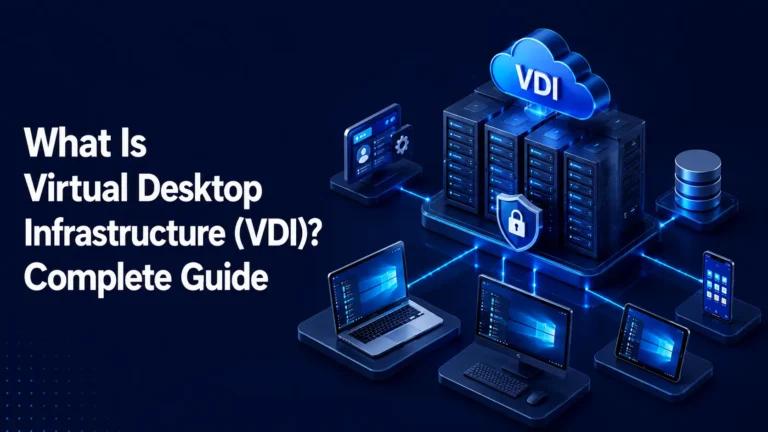
Who really needs VDI should be decided by data sensitivity, duration of access and device trust, not by department or job title. Where VDI meets the rest of the estate is the device a user connects from, which keeps the keyboard, the screen and the sign-in even when applications and data stay on the server. What an infected device can capture there, and the controls that limit it, determine how much protection a VDI deployment delivers in practice.
A virtual desktop keeps data off the device. It does not keep the device out of the session.
Take a laptop that is already infected. Its owner signs in to a virtual desktop to open one application. The application and its data stay on the server, and the user sees only its screen. The infection can still log what the user types, capture what the screen shows and use any channel left open between the device and the desktop.
Those exposures decide how much damage an infected device can do.
Who really needs VDI
- Data sensitivity: Regulated records, financial systems and privileged consoles justify a full virtual desktop. Low-sensitivity web applications rarely do.
- Duration of access: Seasonal staff, contractors and gig workers may need only one or two published applications, with limits on what the session can do, not a provisioned desktop.
- Device trust: The less control you have over the device, the stronger the case for virtual desktop infrastructure (VDI). A managed laptop that opens a few web applications may be covered by limited access with MFA.
VDI for some users and other controls for the rest is a legitimate design. Both groups connect from devices that can be infected, so multi factor authentication (MFA) and device checks matter for both.
What stays on the device
In a VDI session the application runs on the server. The device displays the result and sends back keystrokes and mouse input. That design removes data from the device, but three things remain on it.
- Typed credentials: Keylogging intercepts credentials as the user types them, including the sign-in to the virtual desktop itself.
- Displayed content: Screen capture lets malware gather what appears on the device’s screen, which can include the session.
- Copied content and open channels: Clipboard collection captures what a user copies within or between applications. Where file transfer, drive mapping or USB redirection is on, files can also pass between the device and the desktop.
Session recording logs what happens in the session. It does not stop malware on the device from capturing the same input.
What the evidence shows
ENISA’s Threat Landscape 2025, published in October 2025, describes info-stealers as primarily facilitating credential theft, session hijacking and access brokering. It assesses Lumma as the most prevalent info-stealer since the beginning of 2025 and notes that it was reportedly deployed on 394,000 Windows machines globally between March and May 2025.
Verizon’s 2025 Data Breach Investigations Report analysed infostealer credential logs. It found that 46% of the compromised systems with corporate logins in their data were non-managed and hosted both personal and business credentials. Verizon says these are most likely attributable to bring-your-own-device programmes or enterprise-owned devices used outside policy.
Neither source describes a VDI deployment. They show what infected devices yield, and how often compromised devices holding corporate logins sit outside management.
One infected laptop, two desktops
Take two users, each on an infected laptop. A finance user signs in to a desktop that reverts at logoff. A developer signs in to a persistent desktop.
Suppose each infection includes a keylogger. It captures both sign-ins. If a password alone opens the session, the attacker can sign in from another device without touching the laptop again.
The two desktops then diverge. Changes made to a non-persistent desktop are reverted after the user logs out, so a file dropped onto it through an open channel is discarded with the rest. Anything the user saves to storage outside the desktop, such as network storage, is not reset.
A persistent desktop retains all changes. It holds whatever the developer keeps on it, such as source code, stored keys and cached logins, along with any file that arrived through an open channel. A stolen login opens all of it, and from there the attacker can reach whatever that user’s rights and the desktop’s network allow.
That is the practical test for desktop type. Reset desktops suit work that needs no retained data. Persistent desktops suit work that does, with tighter limits on what they can reach.
How to contain the damage
- Require MFA at sign-in: A captured password alone then does not open a session. Overall and inactivity timeouts end an authenticated session, as NIST’s digital identity guidelines set out, so a hijacked session does not stay valid indefinitely.
- Check the device before the session starts: Give managed endpoints, including locked-down thin clients, more trust than personal devices. Unmanaged devices can be given narrower access, with transfers disabled.
- Keep channels closed unless a group needs them: Where the platform allows, set direction per group, such as files into a session but not out, and limit file types.
- Limit what persistent desktops reach: Segment their network access. CISA’s microsegmentation guidance says segmentation limits lateral movement.
- Log and record sessions and transfers: A record of what crossed and when lets teams trace a suspected infection and revoke credentials.
These limit what a stolen credential and an open channel allow. None removes malware from the device, so device trust belongs in the decision about who gets VDI.
Conclusion
VDI shrinks what an infected device can take. It does not make the device trustworthy, and no deployment decision should assume it does. Treat the two as separate decisions with a named owner each: one for what users are given, and one for who and what is allowed to connect. Review both whenever a new user group, contractor intake or device type is approved, because that is when trust assumptions change.
On the delivery side, Accops HyWorks provides controls for clipboard, file transfer, drive and USB redirection, along with session recording and both persistent and non-persistent desktops.
Frequently Asked Questions
No. The need should follow data sensitivity, duration of access and device trust. Seasonal contractors may need only one or two published applications, and some users on managed devices may need only limited access with MFA.
The data stays on the server and the user sees only the screen. The device can still capture typed credentials and displayed content, and open channels can carry files between device and desktop.
Start with MFA at sign-in and with channels closed by default. Then limit what each desktop can reach, give unmanaged devices narrower rights, and record sessions so incidents can be traced.