Summary
A thin client is a lightweight desktop device that hands most of its computing and storage work to a central server or cloud environment, rather than doing it locally. It runs a minimal operating system, holds little to no user data on the device itself, and connects to a virtual desktop or application over a network using a remote display protocol. What the user sees on screen is effectively a live stream of pixels from a remote machine, not output generated by the device in front of them.
IT teams are rethinking the desktop endpoint. Windows 10 support ended on 14 October 2025, hybrid work has scattered users across homes, branches and shared spaces, and data protection rules keep tightening around where corporate information physically lives.
Each of these pressures points IT decision makers back to a decades-old device category that has quietly become relevant again: the thin client. This guide covers what a thin client actually is, how it works, and where it fits into a modern endpoint strategy.
What Is a Thin Client?
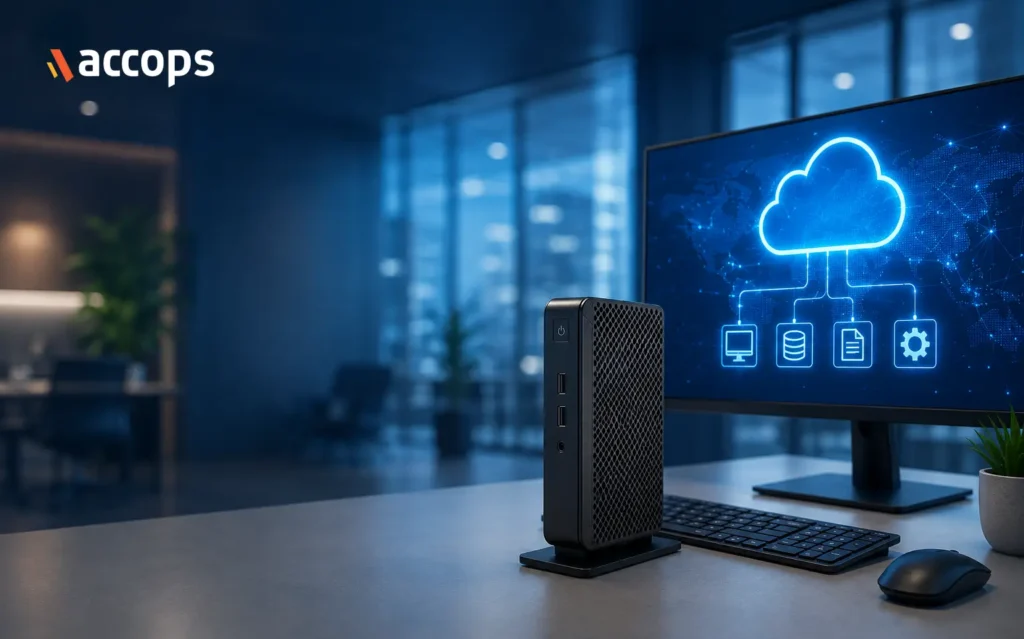
Where a standard PC is built to do the computing itself, a thin client is built to hand that job off. It connects to applications and desktops hosted on a Virtual Desktop Infrastructure (VDI) server, a Desktop-as-a-Service (DaaS) platform, or terminal services, and leaves the operating system, applications and storage running centrally rather than on the device in front of the user. What sits on the desk is essentially an access point: keyboard and mouse in, screen refresh out, network in between.
Thin clients can be dedicated hardware devices with an embedded OS, or delivered as software that turns an existing PC into a thin client endpoint.
Thin Client Architecture Explained
The architecture follows a client-server model. The thin client establishes a session with a remote server using a display protocol such as RDP, PCoIP or a vendor-specific protocol like Teradici or Blast Extreme. The server runs the actual operating system and applications inside a virtual machine or session.
Keystrokes and mouse movements travel from the thin client to the server. The server processes them and sends back updated screen frames as compressed image data. No application logic, and typically no user files, ever execute or sit on the local device. This is why thin clients need little onboard storage or processing power compared with a full desktop PC.
Key Features of a Thin Client
- Minimal local storage, often flash-based, just enough to boot the embedded OS.
- Embedded operating system, commonly a stripped-down Linux build or Windows IoT.
- Low power draw, most models run on a fraction of the wattage of a standard desktop.
- Centralised management, provisioning, patching and configuration are pushed from a central console rather than handled device by device.
- Peripheral support, USB, dual-monitor and network ports for printers, scanners, headsets and multiple displays.
- Remote provisioning, new devices can be configured and deployed without a technician physically touching each unit.
Benefits of Using a Thin Client
Centralising compute and data on the server side reduces the amount of sensitive information that ever sits on an endpoint, which narrows the attack surface if a device is lost, stolen or compromised. Patching and OS updates happen centrally too, cutting the time IT spends managing individual machines.
Because thin clients have no moving parts and modest hardware requirements, they typically have a longer usable lifecycle than a standard PC before replacement is needed. Lower power consumption also reduces the ongoing energy cost of running a large fleet of endpoints, and provisioning a new user is largely a case of connecting a device and assigning access, not imaging a full desktop build.
There is a sustainability angle worth factoring in too. Extending the working life of an endpoint fleet, and drawing less electricity while doing it, is a small but real contribution to an organisation’s environmental footprint alongside the security and management gains.
Limitations of Thin Clients
Thin clients depend on network connectivity, so responsiveness is tied directly to the quality of that connection: a slow or unstable link means a slower, laggier screen, since the device has no local OS or applications to fall back on. Offline work is effectively unavailable on most models for the same reason, which makes them a poor fit for users who regularly work without a reliable connection.
Graphics-intensive workloads, such as CAD or video editing, need protocols and server-side GPU resources specifically built for that load; a standard thin client and generic VDI setup won’t handle them well. There’s also an upfront dependency to account for: the organisation needs a functioning VDI or DaaS backend before thin clients deliver any value at all.
Thin Client vs Thick Client
A thick client is a conventional PC or laptop: it runs its own operating system, stores files locally, and can process applications independently of any server connection. A thin client does the opposite, leaning on server-side infrastructure for almost everything beyond display and input.
The practical trade-off is control versus centralisation. Thick clients offer more local autonomy and offline capability. Thin clients offer tighter data control, simpler endpoint management and lower per-device running costs, provided the backend infrastructure is solid.
There is a practical middle ground too: rather than buying new thin client hardware, many organisations convert existing older PCs into thin client endpoints using thin client software, which extends the working life of ageing hardware and delays the next refresh cycle without giving up the centralised management benefits.
Where Are Thin Clients Used?
Bank branches, hospital wards, call centre floors, government offices, retail tills and training labs all share a common IT profile: many users, standardised software, and a strong need for centrally secured access. That profile is exactly where thin clients tend to concentrate, particularly among task workers who work within a narrow, predictable set of applications rather than a constantly shifting toolkit.
Purpose-built ranges reflect this: Accops HyDesk, for instance, is built specifically to pair with VDI and DaaS platforms, offering embedded Linux or Windows IoT builds sized for these use cases.
Who Should Use a Thin Client?
The clearest fit is an organisation already running, or planning to run, VDI or DaaS, especially where data residency rules apply, branch locations need standardised desktops, or task-based roles make up a large share of the workforce. IT teams looking to cut the overhead of managing a large, distributed PC fleet fall into this group too.
The fit weakens for power users running heavy local workloads or in locations where connectivity can’t be guaranteed, both of which come back to how dependent the model is on the network end to end.
How to Choose the Right Thin Client
Match the device to the protocol your VDI or DaaS platform actually uses, since compatibility here isn’t universal. Check the embedded OS options, port and peripheral support against what your users need day to day, and confirm the device supports the display setup required, including dual monitors or 4K where relevant.
Beyond the hardware spec sheet, look at the management software behind the device, the warranty and support terms, and how the vendor handles firmware updates and security patching over the device’s working life.
Conclusion
A thin client isn’t a scaled-down PC; it’s a different model entirely, built around the idea that compute and data belong on the server, not the desk.
That shift brings real advantages in security posture, device lifecycle and management overhead, but only when the backend VDI or DaaS infrastructure behind it is properly planned. Getting that pairing right, rather than the device alone, is what determines whether a thin client rollout delivers on its promise.
Frequently Asked Questions
A thin client is a lightweight desktop device that connects to a remote server for computing and storage rather than doing it locally. It runs a minimal OS and streams the screen from a virtual desktop.
A thick client is a regular PC that runs its own OS and stores files locally. A thin client leans on server-side infrastructure for almost everything, offering tighter data control and simpler management, but less offline autonomy.
Yes. Many organisations install thin client software on existing PCs to convert them into thin client endpoints, which extends the working life of ageing hardware and delays the next hardware refresh cycle.